Best USB C Portable Monitors in 2026
Updated on Sep 25, 2026
A good USB C portable monitor feels like a natural extension of your laptop, one cable for power and video, fast setup, and a stand that doesn't wobble. The best options balance sharp text, usable brightness, and a travel friendly build, so you can treat it like a real second screen for work, school, or light gaming on the go.
Best Overall
1

9.6
ProductLust
Score
Score
Lenovo ThinkVision M14
- Clean, sharp 14 inch 1080p panel that makes spreadsheets and text genuinely comfortable.
- One of the best built in kickstands for travel, stable at many angles.
- Dual USB C ports make cable routing easier on tight desks and airplane trays.
Most Popular
2

9.3
ProductLust
Score
Score
ASUS ZenScreen MB16ACV
- The easy recommendation when you want a dependable USB C laptop screen extender.
- Anti glare IPS look stays readable in brighter rooms and awkward lighting.
- Hybrid USB C connection is forgiving across laptops, great for everyday plug and play setups.
3

9.1
ProductLust
Score
Score
LG gram +view 16MR70
- Big 16 inch 16:10 workspace feels closer to a real office monitor, not a tiny side panel.
- Higher resolution makes documents and UI look crisp, especially next to modern laptops.
- Dual USB C ports mean you can connect from either side, handy for clean cable management.
4

8.9
ProductLust
Score
Score
Plugable 15.6 inch USB C Portable Monitor (USBC PDMON)
- Strong brightness for the category, so it holds up better in bright rooms.
- Extra USB C ports can simplify a travel setup, especially when juggling accessories.
- Solid, businesslike build with a protective cover, made for being tossed in a bag.
5

8.7
ProductLust
Score
Score
ViewSonic VG1655
- A practical, no drama portable external monitor for email, docs, and admin work.
- Integrated stand is quick to use, no origami case required.
- USB C plus HDMI flexibility helps if you also connect a console or older laptop.
6
8.5
ProductLust
Score
Score
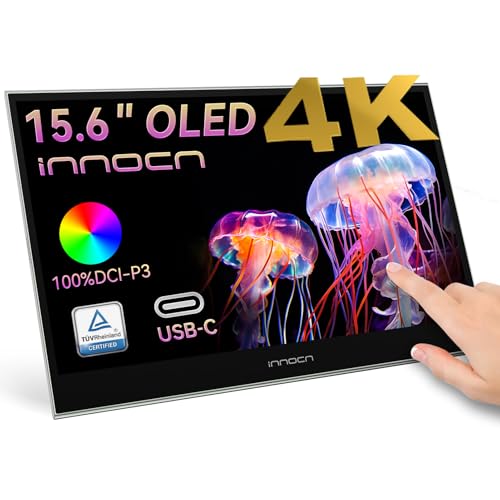
INNOCN 15.6" Portable Monitor OLED
- OLED contrast and color pop make it the most satisfying screen here for media.
- Great choice when you care about blacks, punchy color, and perceived image depth.
- Better than typical IPS portables for creative preview work, within its brightness limits.
Best Value
7

8.1
ProductLust
Score
Score
ARZOPA A1
- One of the easiest ways to add a USB C second screen without spending much.
- Good enough image quality for work, plus surprisingly usable audio for a thin display.
- A simple kickstand setup that travels well and takes seconds to deploy.
Explore other best lists
References
About this list
Last Updated
Sep 25, 2026
Number of items
7
How we came up with this list
ProductLust's reviewed multiple sources, including RTINGS.com, Tom's Hardware and TechRadar. These sources provide comprehensive reviews and ratings based on portability, build quality and size. We identified models like the Lenovo ThinkVision M14, ASUS ZenScreen MB16ACV and LG gram +view 16MR70 as the best options in this price range.
Frequently asked questions
A USB C portable monitor is a thin, travel friendly external display that connects to your laptop or tablet using USB C. With the right device, a single USB C cable can carry video, power, and sometimes touch input, which makes setup fast and clean.
Yes, if you travel, work away from a desk, or regularly multitask. A good USB-C portable monitor gives you a true second screen for email, spreadsheets, chat apps, timelines, and reference docs without the bulk of a full size monitor.
Prioritize a stable stand, readable brightness, and a panel that looks sharp for text. Also check whether it supports one cable operation, whether it includes power pass through, and whether it has HDMI for older devices and consoles.
Not always. Your laptop’s USB C port must support video output, usually called DisplayPort Alt Mode or Thunderbolt. If the port is USB C for charging only, the monitor may power on but will not display an image.
Look up your laptop specs and confirm DisplayPort over USB C, DP Alt Mode, or Thunderbolt. Many laptops also mark the correct USB C port with a small lightning bolt icon for Thunderbolt, or a DisplayPort symbol.
Some do, some do not. Many are USB powered and run directly from a laptop, which is ideal for travel. Brighter models and larger screens sometimes work best when connected to a wall charger or when using power pass through.
Power pass through means you can plug a charger into the monitor, then power both the monitor and the laptop through one setup. It is useful when you want one cable to your laptop but do not want the monitor draining your battery during long sessions.
Most people prefer 15.6 inches for a balanced travel monitor. If you want more workspace without feeling cramped, 16 inches with a 16:10 aspect ratio is excellent for documents and productivity. A 14 inch model packs smaller and still works well for email and chat.
For 14 to 16 inches, 1080p is usually fine and keeps text clear. Higher resolutions can look sharper, especially for dense spreadsheets, but they can also be harder to run from some devices and may reduce battery life.
IPS is the safer choice for everyday work because it tends to be consistent, efficient, and more forgiving in bright rooms. OLED looks incredible for contrast and color, making it great for media and creative preview, but it can be more sensitive to reflections and may not get as bright in some travel situations.
If you often work near windows or in bright rooms, aim for a model that can stay comfortable at higher brightness. Many portable screens are fine indoors but struggle outdoors, so brightness is a real differentiator for a travel monitor.
HDMI is helpful if you want flexibility. It lets you connect to older laptops, desktops, cameras, and consoles. If you only plan to connect to modern laptops with USB C video, HDMI is optional but still convenient.
Most do, as long as you connect to a USB C or Thunderbolt port that supports video. If the monitor flickers or shows nothing, try a different port, a higher quality USB-C cable, or avoid low power hubs that can interfere with signal stability.
Often yes, but it depends on the device. iPads with USB C can output to an external display, and many Android phones support desktop modes like Samsung DeX. The key is whether the device supports video output over USB C.
Some will, especially if they include HDMI. The Nintendo Switch typically needs a dock or adapter for video output. For consoles like PS5 or Xbox, HDMI is usually the straightforward path, and a portable monitor can be a great small gaming display for travel.
Touch is useful if you present, mark up docs, or want tablet like interaction, but it adds cost and can reduce battery efficiency. For most people looking for the best USB C portable monitors for laptop productivity, a non touch model is the better value.
Common causes include a cable that cannot handle video, a low power port, or a hub that does not support stable DisplayPort over USB C. Use the included cable if possible, plug directly into the laptop, and power the monitor from a charger if it supports pass through.
Choose a model with a built in kickstand if you want speed and stability. Foldable covers can work, but they vary a lot in sturdiness. If you travel often, stand quality matters as much as panel quality.
Look for a reputable 15.6 inch 1080p IPS model with one cable USB-C operation and a solid stand. Best value usually means fewer extras, but a dependable panel, stable connection, and decent brightness for indoor use.
Prioritize reliability, a stand that holds steady on small desks, and a screen finish that stays readable in mixed lighting. If you work long days, power pass through can be the difference between a smooth setup and constant battery anxiety.